


 Publish
 Videos
 Articles
 Events
 EN
 1080P 1080P
Playing issue
Reported video:广州美术学院 | Arduino编程语言课程展示 | 时间箴言
Description:
广州美术学院 | Arduino编程语言课程展示 | 时间箴言 Original

 2452
Creators


Proverbs of Time is programmed by arduino to show the passage of time in the form of a running water lamp.
Instructor: Lusha Huang
Theme Concept :
The proverb of time expresses the three states of time in a macroscopic way, through the trigger of the clock by man, so that the faint light in the darkness flashes along the clock: the past - stationary, the present - anxious as a flying arrow, and the future - belatedly coming. Let the viewer feel the passage of time in the process of interaction, and give the viewer the memory of the past time, the current situation and the future prospect.
Here's how we do about our work:
1.Source of inspiration: Schiller's Proverbs of Confucius
2.Keywords:
- the three paces/states of time (future - belated; present - urgent as a flying arrow; past - stationary)
- The external form of the clock
3.Solution to the problem:
-
The first version of the scheme solved the discharge form of the small breadboard, and referred to the style of the clock to make our works.
-
The second version of the scheme solves the effect of light transmission in the work, and at the same time determines the use of infrared induction to interact.
4.Arduino Productions:
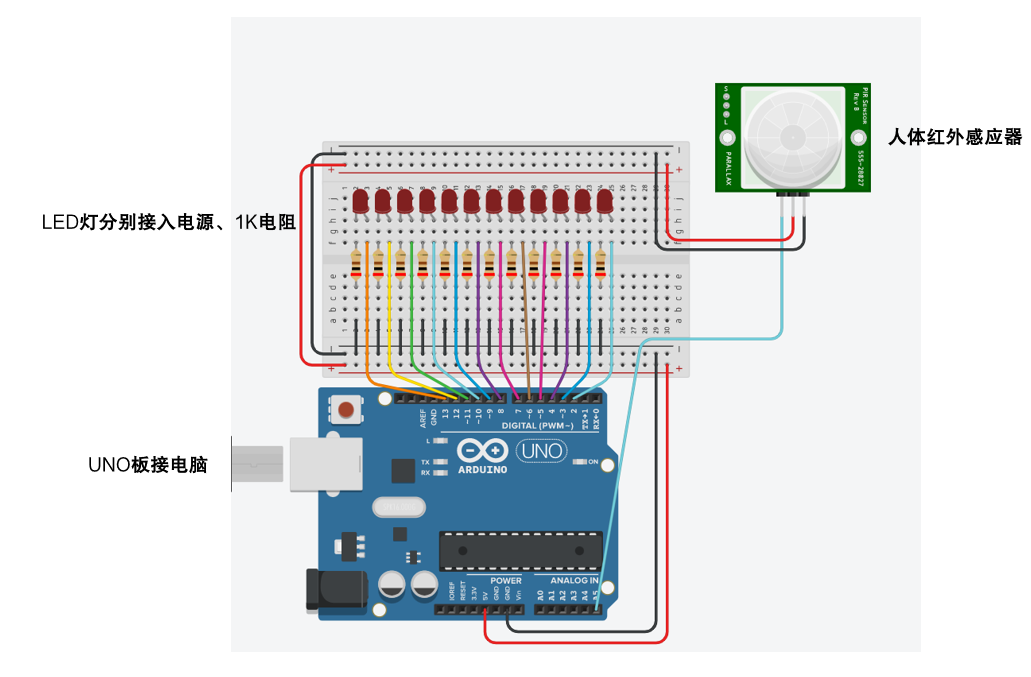
5.Overall installation production method and material selection:
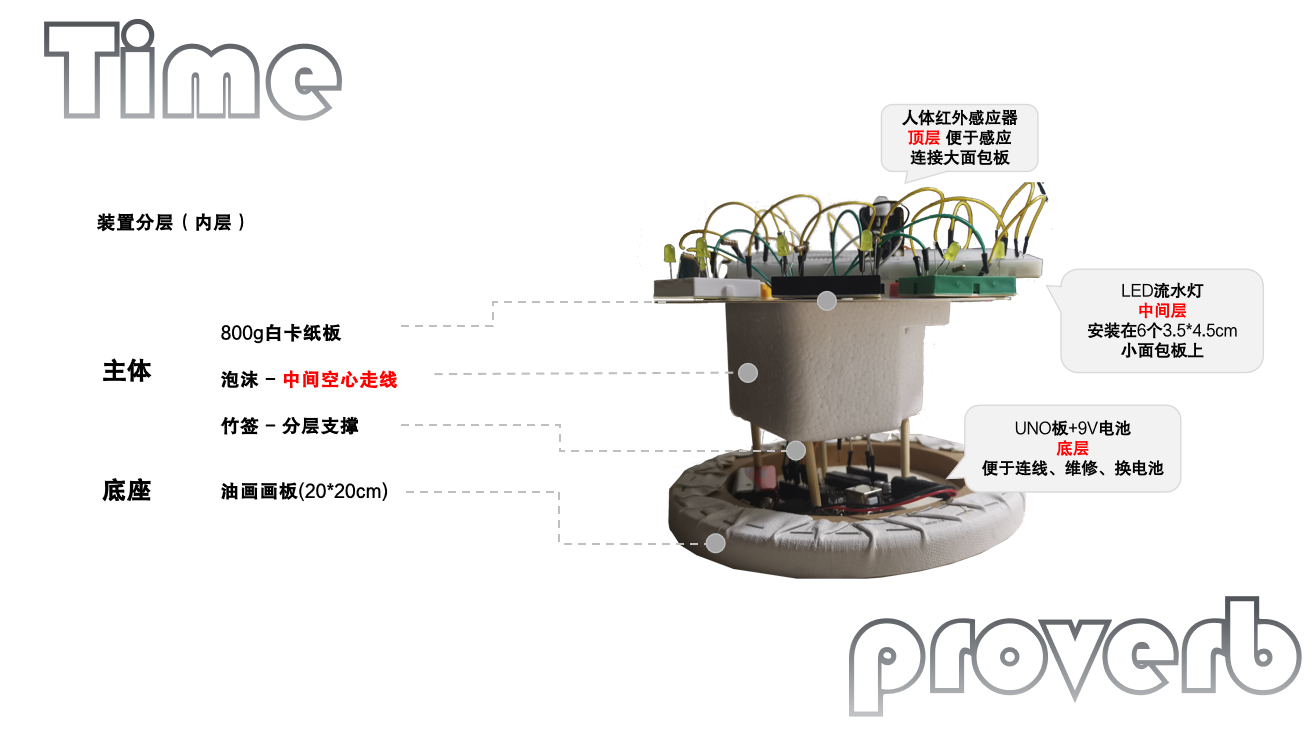
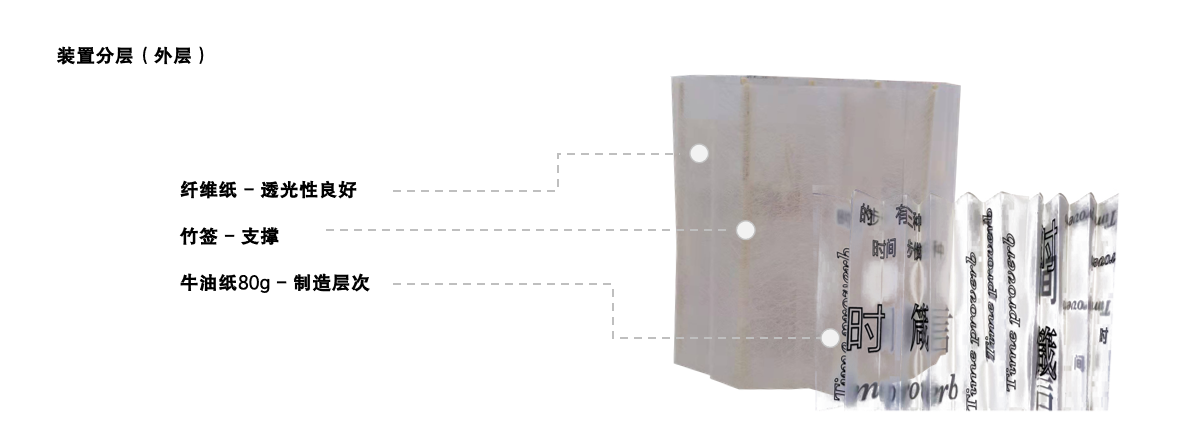
The overall unit is divided into the main part and the base.Meanwhile, the internal structure is the arduino wiring and induction device, and the external permeability of the butter paper creates an atmosphere of time flow.
6.Programming code:
// C++ code
//
void setup()
{
  for(int x = 2; x < 14; x++)
  {
  pinMode(x, OUTPUT);
  }
  pinMode(A5, INPUT);
  Serial.begin(9600);
}

int sensor = 0;
void loop()
{
  sensor = digitalRead(A5);
  Serial.println(sensor);
  if(sensor == 1)
  {
   for(int x = 2; x < 14; x++)
   {
    digitalWrite(x,1);
    if(x > 2)  digitalWrite(x-1,0);
    delay(200);
   }
    delay(200);
    digitalWrite(13,0);
  }
}
Photo Album




Comments
Please Log in or Register to comment